Build with AI. Keep the Code: Creating a WBPress App from a Markdown Folder
This is the canonical, maintained edition. Read the underlying folder-navigation architecture first.
Release availability — November 2026: this tutorial targets the release after
WBPress 3.0.0-rc.2. That release adds the packaged AI prompt and recursive directory navigation.
Until it reaches npm, use the prompt printed here and write explicit nodes with rc.2.
Most AI website demos begin with a sentence and end with a screenshot.
That is impressive, but it leaves an important engineering question unanswered: **what do you own
after the generation finishes?**
Can you inspect the routes? Can you change the navigation without prompting again? Can you add a
normal Vue component? Can search index the body of your pages? Can you build the application without
an AI service running in production?
With WBPress, the answer is yes because AI is used as a builder, not as the application runtime.
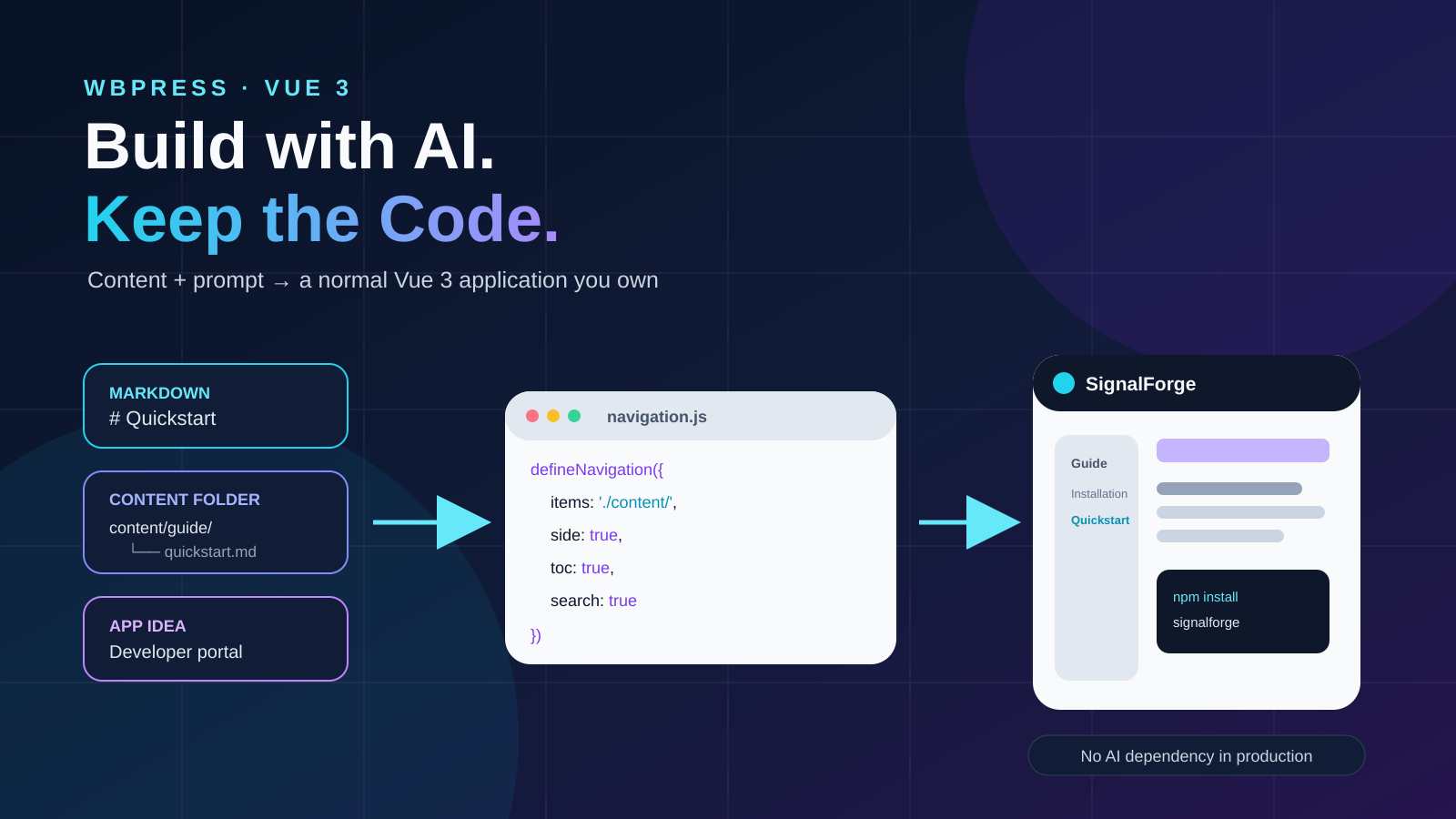
You describe the application and provide its real content folder. A coding agent connects that
folder to a normal Vue 3 project whose central contract is navigation.js. WBPress recursively
derives the ordinary content graph from the directory itself, while explicit nodes handle the few
pages that need custom routing or Vue components.
application idea + real Markdown content folder
                         ↓
                   coding agent
                         ↓
        items: './content/' + explicit exceptions
                         ↓
                      WBPress
                         ↓
 routes + navbar + sidebar + content + search + metadata + sitemap
No proprietary project database. No hidden visual-editor format. No AI dependency in the deployed
site. The output is Vue, JavaScript, Markdown, CSS, and assets that stay in your repository.
This tutorial builds a small documentation application from scratch to show how a coding agent can
accelerate the work without becoming a production dependency.
What we are building
Imagine an open-source product called SignalForge: a lightweight webhook development toolkit.
Its documentation needs to answer four questions:
- What problem does SignalForge solve?
- How do I install it?
- How do I send my first event?
- Where can I inspect the API and examples?
The folder hierarchy expresses the intended information architecture:
/
├── guide/
│   ├── installation/
│   └── quickstart/
├── reference/
│   └── configuration/
├── examples/
└── playground/
The site should have a responsive sidebar, dark mode, full-content search, previous/next links,
metadata, and a sitemap. The playground should be a Vue component; the rest can remain Markdown.
Step 1 — make the content folder the source of truth
Start with the part that matters most: the information.
src/content/
├── index.md
├── guide/
│   ├── index.md
│   ├── installation.md
│   └── quickstart.md
├── reference/
│   ├── index.md
│   └── configuration.md
└── examples.md
For example, src/content/index.md might begin with:
# SignalForge

Develop, replay, and inspect webhooks without rebuilding the same local tooling for every project.

## From event to evidence

SignalForge receives an event, records its delivery attempt, and lets you replay it against a local
or remote endpoint.

[Install SignalForge](/guide/installation) or [send your first event](/guide/quickstart).
And src/content/guide/quickstart.md can be ordinary technical Markdown:
# Quickstart

Start the local receiver:
npx signalforge listen --port 4100
Send a test event:
curl -X POST http://localhost:4100/events \
-H 'content-type: application/json' \
-d '{"type":"invoice.paid","id":"evt_001"}'
Nothing in these files is AI-specific. They remain portable Markdown, and their actual locations—not
a second tree copied into a prompt—define the ordinary site hierarchy.
Step 2 — make the folder executable
A real filesystem folder can become the ordinary part of the content graph directly. Declare it
once with the explicit trailing-slash directory marker: items: './content/'.
The interactive playground remains an explicit Vue page. This hybrid is intentional: discovery
handles conventional content while one node handles the application-specific exception.
WBPress applies straightforward conventions:
index.mdbecomes its directory route;- nested directories become nested
children; - filenames become route segments;
- numeric prefixes and frontmatter
ordercontrol sibling order; - labels and metadata come from frontmatter;
- frontmatter can override labels, descriptions, order, icons, and sidebar visibility;
- the explicit playground node is merged with the discovered graph.
The tree printed above is documentation for the reader, not duplicated configuration. When files
move inside src/content/, the discovered routes and sidebar follow the folder on the next build.
Step 3 — give the specification to a coding agent
Open a fresh Codex, Claude Code, Cursor, or equivalent coding-agent session in the project directory
that contains src/content/, and use a prompt like this:
Build a complete Vue 3 documentation application from scratch using WBPress.

Application:
- Name: SignalForge
- Public URL: https://docs.signalforge.dev
- Audience: Node and Vue developers integrating webhooks
- Purpose: explain the product, provide a fast quickstart, document configuration, and offer a live playground
- Visual direction: dark navy, electric cyan accents, compact technical typography, restrained motion
- Language: English

Install published npm packages:

npm install @wbc-ui/press@next @wbc-ui/core@next vue@^3.5 vue-router@^4 vuetify@^3 @mdi/font
npm install -D vite @vitejs/plugin-vue

Do not use file:, link:, workspace:, or maintainer-monorepo paths. Inspect the installed
@wbc-ui/press README and https://press.wbc-ui.com before implementing. Follow the real installed API.

Inspect the existing `src/content/` folder recursively. It is the source of truth for ordinary
content routes and hierarchy; do not copy its structure into a second hard-coded route list.

Use WBPress recursive directory navigation with `items: ['./content/', playgroundNode]`. Include the
directory in `createGlobContext`. The playground node is the explicit exception, with path
`/playground` and item `./pages/Playground.vue`. Preserve existing Markdown. Add or improve title,
description, label and order frontmatter only where useful.

Create the missing Vue playground and application files. Configure a responsive navbar/sidebar,
full-content search covering paragraph text, previous/next navigation, heading anchors, useful TOCs,
light/dark themes, route metadata,
canonical URLs, sitemap, robots.txt, and search index.

Do not modify @wbc-ui/core or @wbc-ui/press. Implement application-specific styling and components
inside this project.

Finish the application rather than returning only a plan. Run the production build and verify all
routes, content leaves, unique names and paths, paragraph search, internal links, mobile/desktop
layouts, themes, assets, and generated SEO files. Report the completed result and remaining deploy steps.
During the WBPress release-candidate cycle, @next installs the current Vue 3 line. After the stable
3.x release, replace @next with @latest or omit the tag.
Step 4 — inspect what the agent generated
The important output is not a screenshot. It is a readable source tree in which content authors can
see the site hierarchy without consulting the prompt:
signalforge-docs/
├── index.html
├── package.json
├── vite.config.js
├── public/
│   ├── robots.txt
│   └── logo.svg
├── scripts/
│   └── build-ssg.mjs
└── src/
    ├── main.js
    ├── config/
    │   └── navigation.js
    ├── content/
    │   └── ...the Markdown leaves...
    ├── pages/
    │   └── Playground.vue
    └── styles/
        └── site.css
The central file is src/config/navigation.js:
import { defineNavigation } from '@wbc-ui/press';

export default defineNavigation({
  items: [
    './content/',
    { name: 'Playground', path: '/playground', item: './pages/Playground.vue', label: 'Playground' },
  ],
  nav: ['sbarTrigger', 'logo', 'brand', 'VSpacer', 'search', 'dark'],
  side: true,
  search: true,
  prevNext: true,
  toc: true,
  headingAnchors: true,
  darkMode: { default: 'auto' },
});
This file is the reason the workflow remains trustworthy. The folder opt-in is explicit, special
pages remain programmable, and the expanded graph is inspectable and testable.
Step 5 — understand what WBPress derives from the graph
From the same nodes, WBPress can produce:
- Vue Router routes;
- the navbar and nested sidebar;
- selected and expanded navigation state;
- previous/next links in graph order;
- page titles and metadata;
- searchable records joined to Markdown body content;
- sitemap and route-manifest entries;
- feed entries when enabled;
- localized page selection when each item is a language map.
The application does not need six disconnected configuration files that can drift away from each
other. The graph is the shared source.
Step 6 — run and verify the result
The agent should finish by running the same commands a human maintainer would run:
npm run dev
npm run build
npm run preview
Then verify behavior, not only compilation:
- Every path opens directly and through the sidebar.
- Searching for a phrase inside a paragraph finds the correct page.
- Mobile navigation opens, closes, and restores focus correctly.
- Light and dark themes remain readable.
- Previous/next links follow the intended tree order.
- The playground is a real Vue page inside the same content graph.
- Metadata, sitemap, robots file, and search index contain the public URLs.
- A missing Markdown leaf or duplicate route name fails visibly.
What did we actually get?
We started with:
- one paragraph describing the application;
- one real folder containing seven small Markdown files;
- one prompt.
We finished with:
- a normal Vue 3 + Vite project;
- a convention-generated but reviewable route graph;
- responsive navigation and nested sidebar;
- Markdown and Vue pages in one application;
- full-content search;
- light and dark themes;
- page metadata and canonical URLs;
- sitemap, route manifest, search index, and optional feed;
- production build evidence;
- source code the developer can continue editing without the original agent.
That last property matters most. The prompt accelerates construction, but the project does not
belong to the prompt.
Where the old prompt-tree workflow still belongs
An annotated route tree is still useful when the public URLs deliberately differ from the content
folders, when a migration must preserve legacy paths, or when most pages are dynamic WBC/Vue nodes.
In those cases, put the tree in the prompt and generate explicit defineNavigation(...) nodes.
Do not maintain both a copied prompt tree and a matching content folder for an ordinary docs site.
Two sources that express the same hierarchy can drift. Prefer the folder as the source; add explicit
nodes only for genuine exceptions.
Why directory discovery does not become an invisible router
WBPress does not ask the browser to scan a disk. A statically declared Vite context inventories the
content, and the explicit trailing-slash marker enables discovery. WBPress expands that inventory
into its normal graph before routing.
A WBPress node can render:
- Markdown;
- a Vue component;
- an image or video;
- an external URL or embed;
- a localized item map;
- an array or object rendered through WBC;
- a context-aware dynamic descriptor.
The graph also carries labels, ordering, icons, metadata, visibility rules, and children. A folder
name cannot express all of those decisions.
So the workflow combines the best part of file routing—low ceremony—with the best part of WBPress:
an explicit programmable graph for every exception.
Agent-ready by architecture
WBPress is not an AI website generator. That would make the AI the product and the generated site
its artifact.
The stronger idea is the reverse:
WBPress is a content-graph framework designed for humans and coding agents.
Humans can author the graph directly, declare a directory, or mix both. An agent can connect the
existing files and create special nodes. Every approach produces the same inspectable contract, and
none requires AI in production.
Describe the site. Let the agent connect it. Keep the code.
Resources
- WBPress documentation: https://press.wbc-ui.com
- Recursive folder-navigation article: https://wi-bg.com/articles/your-content-folder-is-the-application
- Build-with-AI guide: https://press.wbc-ui.com/guide/build-with-ai
- npm package: https://www.npmjs.com/package/@wbc-ui/press
- WBC-UI ecosystem: https://wbc-ui.com
- Source: https://github.com/wbc-ui/press
</div>